

Link analytics: how to measure clicks on shortened URLs
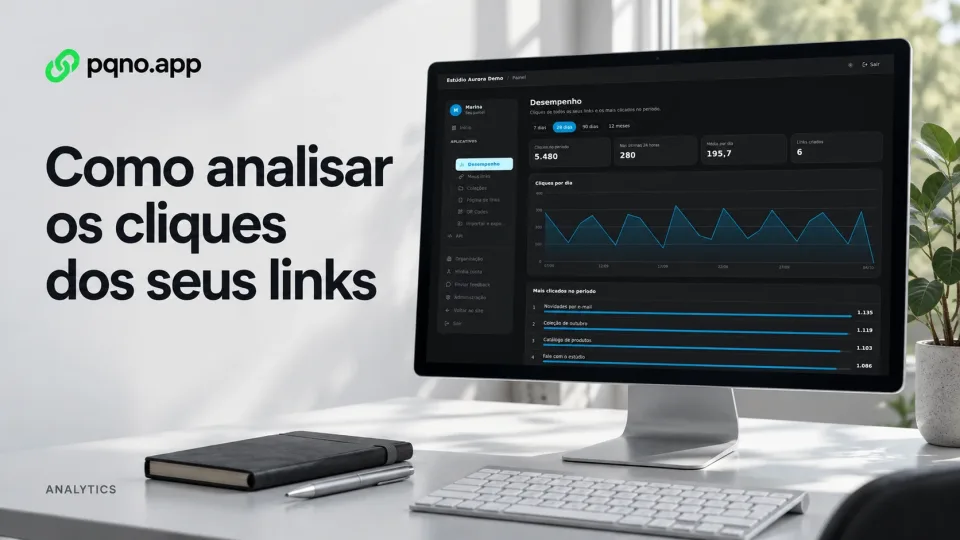
After you share a link, the next question is usually: did anyone click?
When a shortened URL has analytics, the redirect records every visit, and the link shows how many times it was used.
What is link analytics?
They are the statistics of visits to a URL. With a shortener, the click first goes through the short address, which records the visit and only then takes the person to the destination. Each link has its own count.
What can click counts tell you?
A simple click count already answers these questions.
Which link was opened the most?
With several pages or campaigns, you compare the clicks on each.
Which promotion drove the most interaction?
With one URL per channel, you see which got the most visits.
Is a piece of material still being used?
Links in presentations, documents and older materials keep getting clicks, and the number shows which are still in use.
Which content deserves more attention?
An address with far more clicks than the others shows where your audience is interested.
How to track clicks on a link
Create a short URL just for the action you want to measure, for example:
pqno.app/ebookShare that address instead of the original URL. Every visit to the short link is counted.
How to compare channels
If you use the same link everywhere, you will see the total clicks, but you will not know which promotion drove each visit.
To separate the channels, create one URL for each:
pqno.app/ebook-instagram
pqno.app/ebook-whatsapp
pqno.app/ebook-email
All three point to the same landing page, and the numbers show which code received more visits.
Are clicks the same as people or sales?
No. The count measures visits to the redirect without deduplicating visitors. One person can open a link several times, and automated visits can also enter the total. So 100 clicks do not mean 100 people, conversations or purchases.
What to measure on the destination page
Use tracking on the destination website to measure forms, orders and other conversions. Separate links help compare promotions, but if someone shares a link in a different channel, its clicks will still belong to that code.
Are click counts useful even without a direct sale?
Yes. Not every action ends in a purchase. You can track links to:
- documents;
- videos;
- presentations;
- portfolios;
- forms;
- sign-ups;
- downloadable materials;
- internal pages;
- institutional campaigns;
- internal communication.
Analytics on pqno.app
Under Links, Performance, the dashboard shows clicks by day, the period total, a daily average and the most-clicked links. Free lets you view a 7-day window; Pro and Business unlock longer windows. This access limit does not mean older records are deleted every 7 days.
On Pro and Business, a tracked QR code records a visit when the reader opens its short link. Pointing the camera without opening the address does not register a visit. If the same link is also shared as text, those visits join the total; use a dedicated link for printed material when you need separate counts.
How to name links to make analysis easier
Give each link a title and a code that say what it is for:
webinar-september
ebook-automation
portfolio-2026
campaign-email
campaign-instagram
That way you find and compare links in the dashboard without opening them one by one.
What should you do with click data?
Use the numbers to decide the next step of your promotion:
- prioritize content;
- remove links nobody uses;
- compare channels;
- repeat actions that worked;
- reorganize a link in bio page;
- find links that are still relevant;
- follow campaigns over time.
Create links with click counts
Create a short address on pqno.app and see in the dashboard how many times it was used.
Reviewed on October 4, 2026. Illustrative cover with product screens and simulated data.