

Link in bio: how to create a page with multiple links
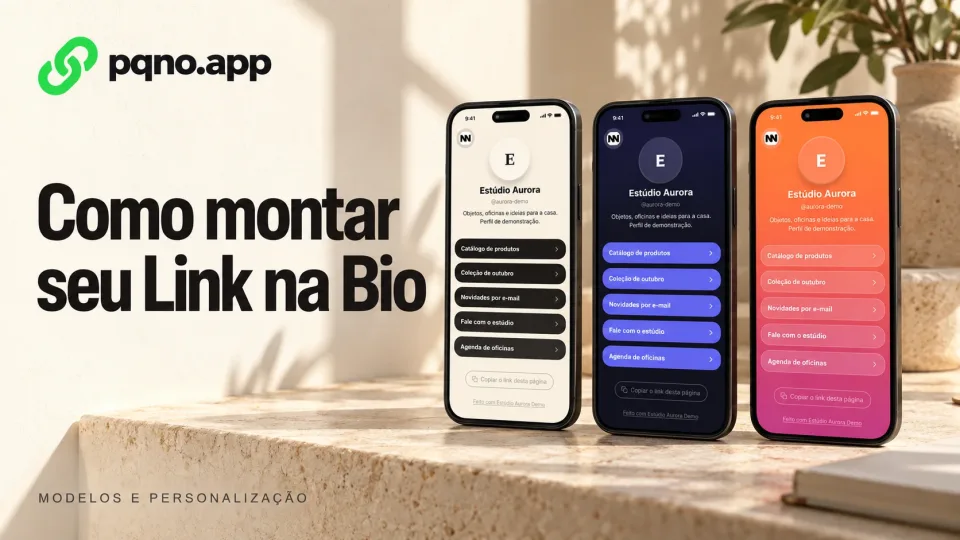
When you need to share a catalog, contact details, a portfolio and recent content, a Link in Bio page brings those destinations together at one address you can add to your social profiles.
Instead of swapping the link for every campaign, you keep one page and organize the destinations you want to highlight there.
What is a link in bio?
It is a public page that brings several links and pieces of content together at one address.
You share one URL, for example:
pqno.app/@yournameand, on it, you show the destinations that matter to your audience:
- your website;
- your portfolio;
- WhatsApp;
- products;
- campaigns;
- videos;
- social media;
- materials;
- forms;
- recent content.
Why create a link in bio page?
A single address leads to every destination you want to show, and you stop:
- changing the link in your profile all the time;
- picking only one campaign to promote;
- scattering different URLs with no organization;
- losing older content when a new action starts.
Many destinations at the same address
People open your page and choose what they want to see.
Organized in blocks
On pqno.app, the profile is built from blocks, in the order you choose:
- link collections;
- standalone links;
- videos;
- images;
- text.
How to build the page on pqno.app
- Create your links in the dashboard.
- Open Links, Link page and choose a profile name.
- Add a name and bio, add content blocks and arrange their order.
- Open Ready-made templates to compare designs, apply one and adjust its colors.
- Save, check the mobile preview and copy the public address.
Applying a template changes the appearance while preserving links, blocks and the photo. You can edit the content later.
How to organize the links in your bio
Organize the page in order of priority: not every link needs the same prominence.
1. Highlight the main action
Put the most important link of the moment at the top.
It could be:
- a campaign;
- a sign-up;
- a product;
- a contact page;
- a launch.
2. Group related content
Use collections to group links on the same subject, such as:
- products;
- articles;
- projects;
- videos;
- materials;
- events.
3. Use visual content when it makes sense
An image or video can give a campaign better context than a button alone.
4. Avoid too many options at the top
Few options at the top help people decide quickly where to click.
Can you customize the look?
Yes. pqno.app has 20 ready-made templates in four categories, plus options for background, font, colors, buttons and corners. Start from a template and adjust whatever you want.
Link in bio for content creators
A creator can bring together:
- the latest video;
- social media;
- partnerships;
- a media kit;
- business contact;
- products;
- featured content.
Link in bio for professionals
A professional can gather on the page:
- introduction;
- portfolio;
- contact;
- calendar;
- projects;
- articles;
- professional networks.
Link in bio for companies
A company can organize:
- its corporate website;
- its catalog;
- customer service;
- job openings;
- campaigns;
- materials;
- social media;
- pages for branches or departments.
On the pqno.app Business plan, the plan covers the people in the organization.
Is a link in bio the same as a link shortener?
No. The shortener creates a short URL that redirects straight to another address.
The link in bio creates an intermediate page with several destinations. You can use both together: a short link that leads to your Link in Bio.
Which URL should I put in my bio?
If you have only one destination, a short link is enough. If you need to show several, use a link in bio page.
Create your Link in Bio on pqno.app
Build your page with your most important links and content, customize the look and use a single address in your bio.
Reviewed on October 4, 2026. Illustrative cover with product screens and simulated data.